Core Operations Forged
Dashboards, automations, websites, and client portals built for growing businesses.
Anvil online
Scroll to forge the site
Operations / Forged / Hardened
Hardened systems.
Tempered teams.
Operations built to last.
We turn the molten chaos of growing businesses into refined operational machines: dashboards, automations, websites, internal apps, and client portals built around the way your operation actually moves.
Less admin
Automate the repeated work
One view
Dashboards for real decisions
Ship fast
Useful systems in weeks
The forge
One central workshop for the tools your business actually needs.
Core Operations Forged builds practical software systems: dashboards that clarify decisions, automations that remove repeated work, websites that convert, and custom platforms that can become full products.
Central forge layer
What we forge
Four build pillars. One operational backbone.
The positioning stays broad and premium: not “AI agency”, not “template web design”, but a technical build partner for businesses that need sharper systems.
01 / Visibility
Dashboards
Live views of sales, operations, finance, pipeline, delivery, or performance — built around decisions, not vanity charts.
02 / Leverage
Automations
Workflows that connect forms, CRMs, inboxes, spreadsheets, databases, notifications, and repetitive admin into one cleaner system.
03 / Presence
Websites
Fast, sharp, conversion-focused websites with custom interactions, clean messaging, and a visual identity that feels engineered.
04 / Products
Apps & SaaS
Client portals, internal tools, MVPs, booking systems, product dashboards, and SaaS-style builds designed to test and scale.
Proof of work
Real systems, not mockups.
Every build comes out of the forge as something you can use the same week. Dashboards that surface the right number, automations that remove the right step, portals that replace the right tool.
01
Dashboards
02
Automations
03
Portals & sites
Logistics system
Route planning layer
Built
Vans, drivers, stops, and dispatch workflows planned inside one operational dashboard.
AI layer
Ops assistant
Live
An assistant built into the system to help teams query workflow context and move faster.
Proof gallery
Selected work, shown without exposing private operations.
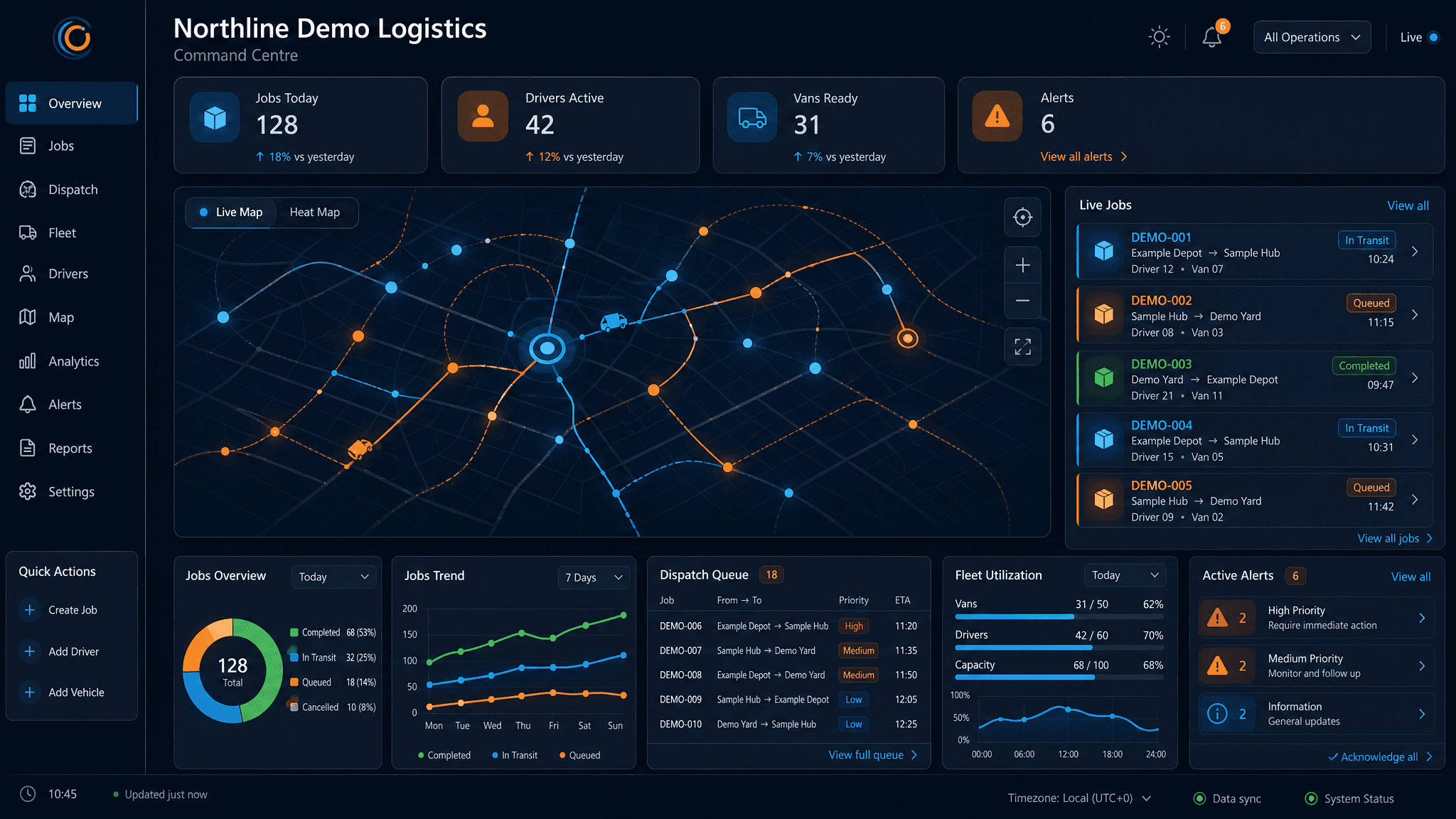
Generated demo visuals show the direction of the logistics operations system without exposing private client screenshots or real operational data.
Demo visual loading
Demo logistics command dashboard
Generated demo-data visual for jobs, fleet status, route visibility, alerts, and operational pressure points.
Generated demo data only
Demo visual loading
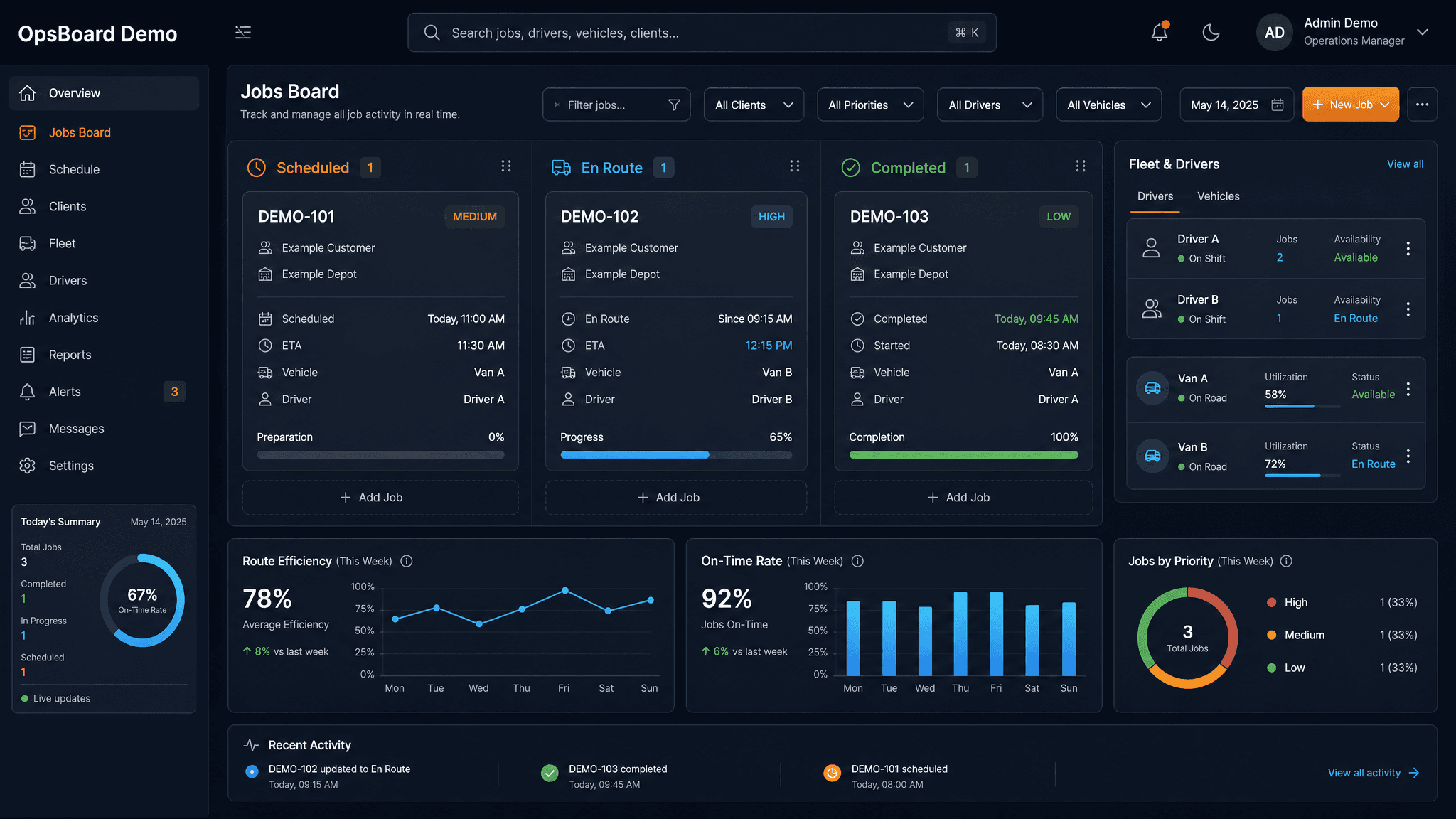
Demo dispatch and job tracking
Generated board for tracking transport jobs, statuses, assignments, and operational movement.
Generated demo data only
Demo visual loading
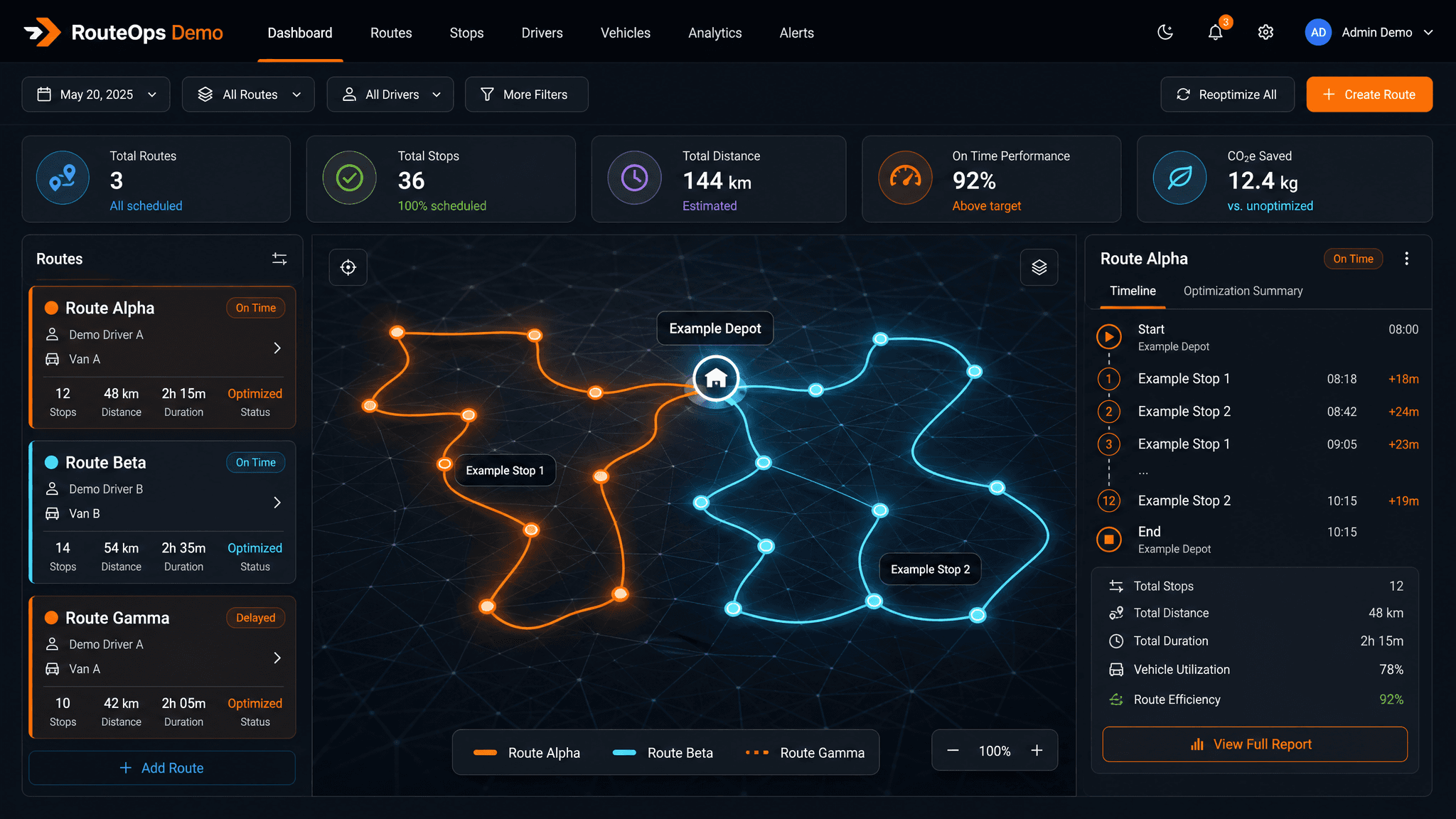
Demo planning layer for routes
Generated driver, van, stop, and route planning visual using only fictional labels.
Generated demo data only
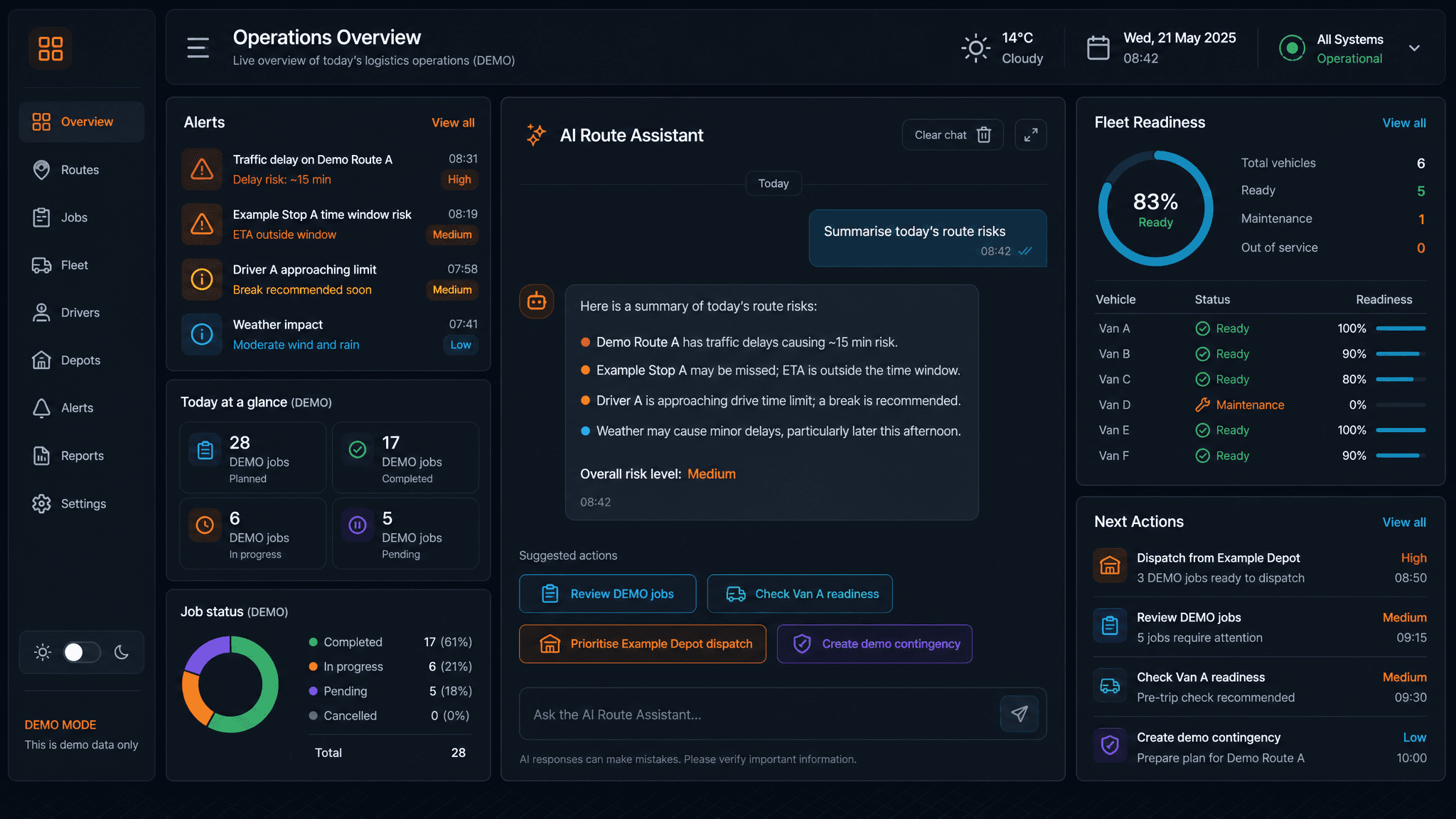
Demo visual loading
Demo operational AI assistant
Generated support layer inside the dashboard for asking operational questions and getting workflow help.
Generated demo data only
Who this is for
Built for businesses with a real bottleneck to remove.
The best fit is not a vague redesign. It is a business that already feels the pain: slow follow-up, unclear reporting, manual admin, scattered tools, or a digital presence that undersells the work.
01
Agencies
Client portals, approval flows, delivery dashboards, and polished proof assets that make the agency feel more premium.
02
Service businesses
Lead handling, job tracking, quote pipelines, reporting dashboards, and automations that reduce day-to-day admin.
03
Founders
Focused MVPs, product dashboards, booking systems, and client-facing platforms that can launch without a giant team.
04
Teams in spreadsheet mode
Manual reporting, repeated copy-paste work, scattered data, and inbox-driven operations turned into one clear workflow.
The build sequence
From messy operation to working system.
01
Map the pressure points
We identify where time, money, leads, data, or delivery momentum is leaking. The first job is clarity: what needs to be built, why it matters, and what it should replace.
02
Forge the first working version
A focused prototype gets built quickly: dashboard, automation, landing page, internal tool, or product flow. Something real, testable, and useful.
03
Refine until it moves cleanly
The interface, logic, copy, data flow, and handoffs get tightened so the tool feels simple on the surface and strong underneath.
04
Ship, measure, and extend
Once the system is live, it can be expanded into more automations, deeper dashboards, client-facing portals, or full SaaS-style infrastructure.
01
Business-first
The tech is there to create speed, clarity, conversion, or capacity.
02
Custom-built
Every system is shaped around the client’s workflow, offer, market, and constraints.
03
Expandable
Start with one useful tool, then compound it into a stronger operating layer.
Start a build
Bring the messy process. Leave with a working system.
Tell us what is slowing the operation down — manual workflow, scattered data, a site that undersells the work, or a product idea that needs a first version. We will reply with a clear scope, timeline, and price.
Good project fits
- • A manual workflow that should be automated
- • A dashboard that should replace spreadsheet chaos
- • A website that needs to look sharper and convert better
- • A custom app, portal, or SaaS idea that needs a first version